The Ask
Our internal client came to us with a request to create a user friendly interface to an Intelligent Document Processing (IDP) platform their development team had already been building. The goal of the software was to use AI to analyze scanned documents at a large scale for government agencies and other client types and be able to assist workers to correct information on forms and confirm that information was accurate to pass on to other systems in their process. Examples of this include insurance submissions for hospitals and Medicaid applications to local government offices. Using generative AI technology, the user would be able to ask questions about the document to confirm information.
However, the client was very dev focused and the team was more queued in on the technical aspects of the software, which made the platform not very user friends to the everyday clerk who would be using it. Our goal was to bridge the gap, translating the dev’s work and the executive team’s marketing goals to create an intuitive user experience that would help guide users through the process with ease and help their workload. We also had a very tight timeline to get a working prototype ready for presentation at a trade show in 6 weeks.
Challenges
- This project had several stakeholder parties between us, the internal client, and the client’s platform partner. The internal client wanted to keep us and the platform partner separate, so there was a lot of information we couldn’t get from them.
- Though we agreed to having some sort of user interviews at the start, we never received any user information, so we had to base our knowledge on assumptions based on what the client provided us.
- The development team continued to make changes and updates to the back end, which at times removed or added features that we were unaware of.
- The marketing and development teams of the client were not always on the same page, so we sometimes had to act as a liaison between the two.
- The client was unfamiliar with the UX process as a whole, sometimes being resistant to our workshops and derailing exercises. We had to heavily manage them during sessions to keep them working towards the goal.
Discovery work
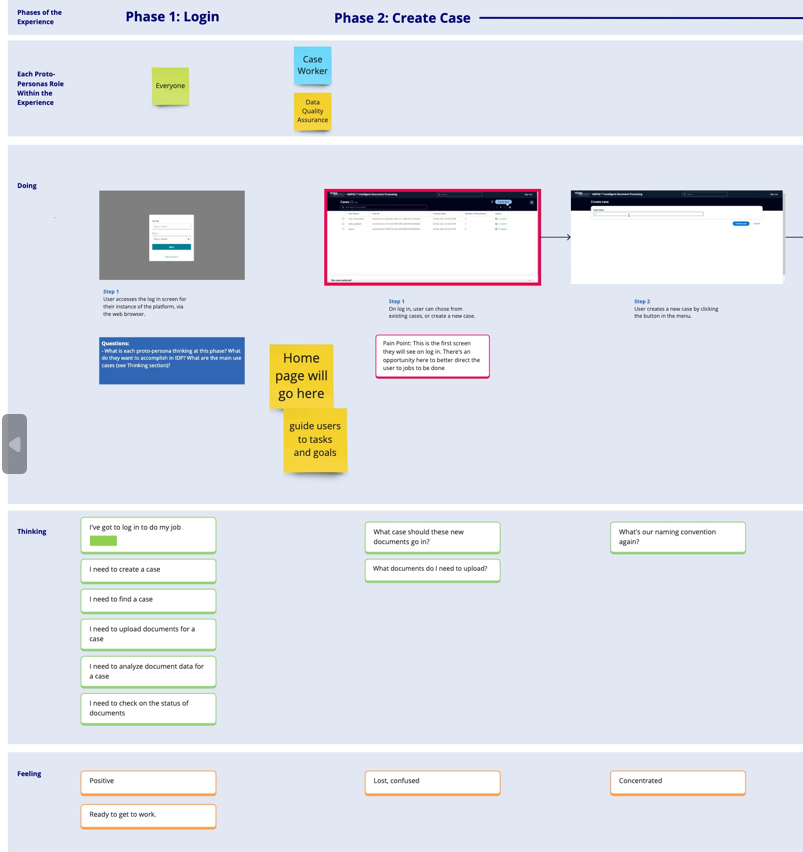
Scenario Map

Our first task was to use the client provided materials (in the form of two basic demo programs) along with our initial discovery workshop to build out the current scenario map. The goal of this map was to align with the client on the full range of functions for the MVP as well as show where there would be challenges and moments of delight for the user. We recorded the user’s questions and feelings during this point in the process to try and map out their full journey.
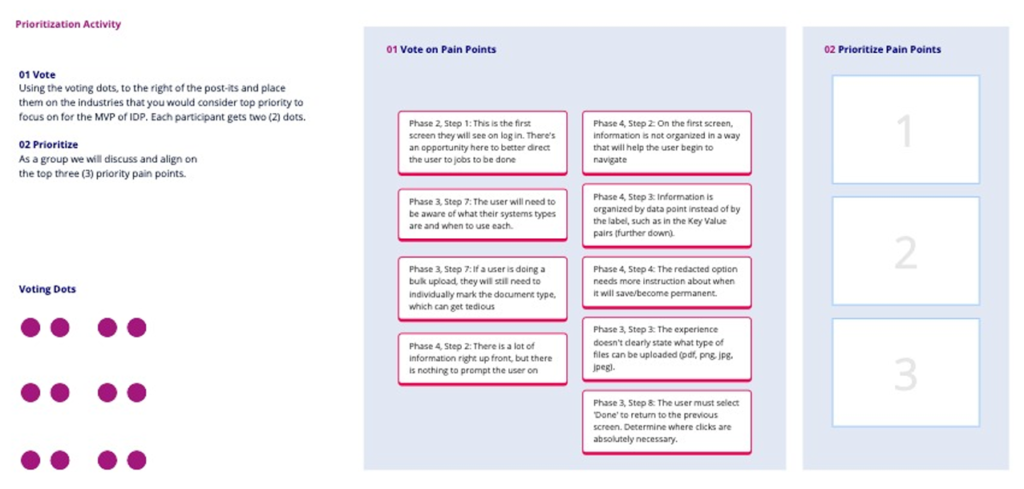
Due to the limited time frame, we had to prioritize what functions we were going to focus on, as well as which audience and what industry for the demo. Through various interactive xercises, we guided the client towards defining these parameters. We ended focusing on the Case Worker audience (those who would be analyzing the uploaded documents in the IDP) in regards to Medicare applications.
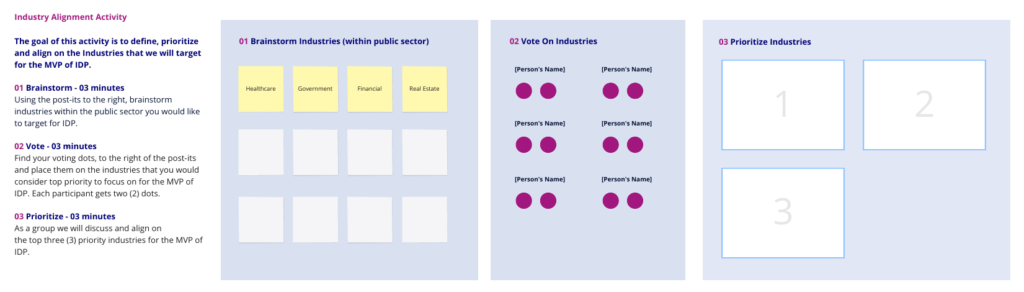

User Flow and IA
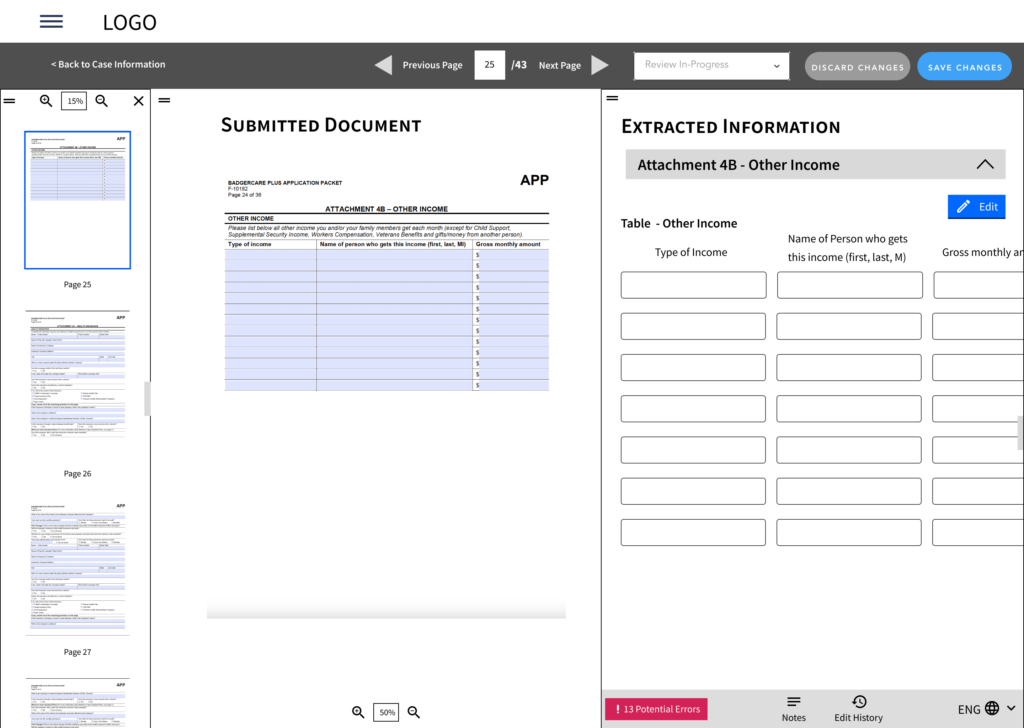
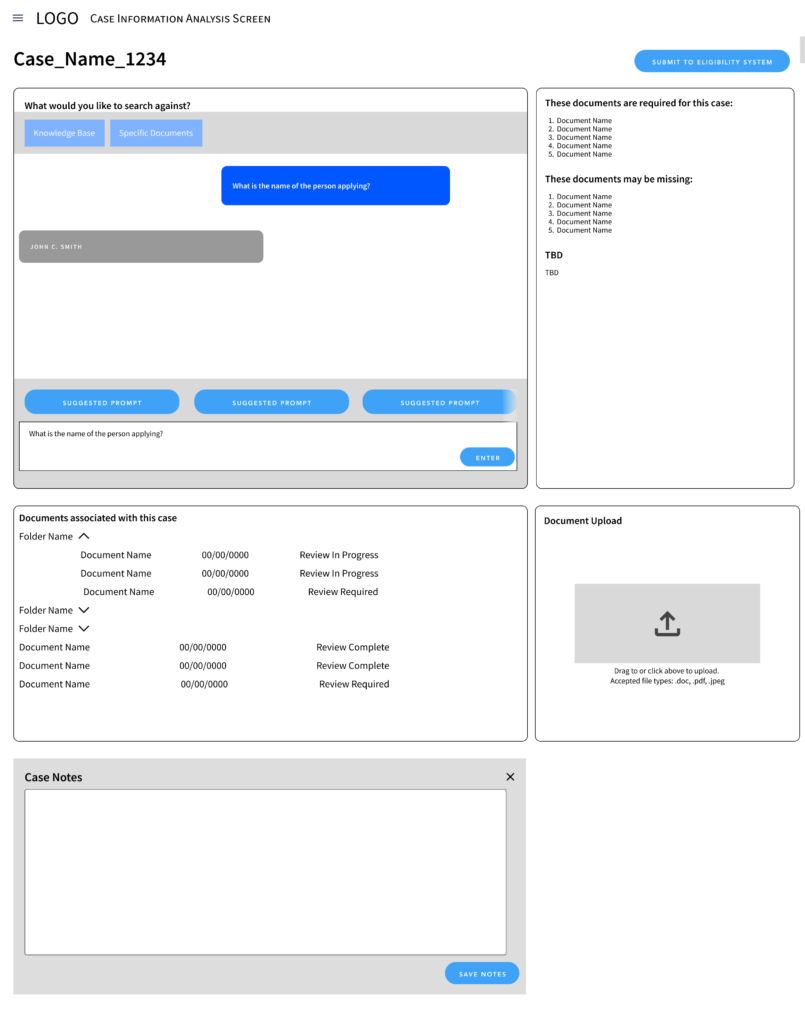
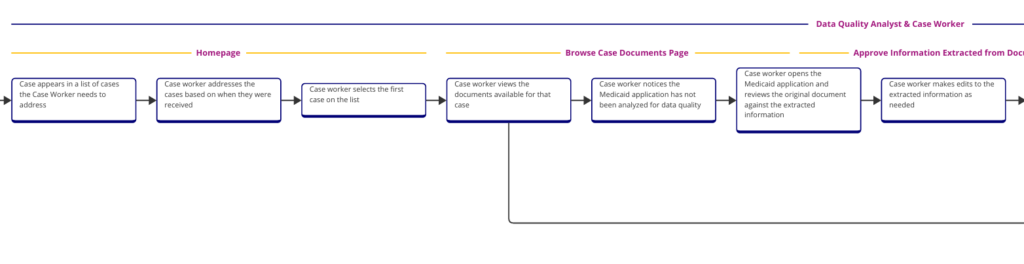
Our next step was to confirm the user flow with the client and build out the full IA with page functionality to help guide us into wireframe creation. This was a highly iterative process as the client made changes in the functionality of the platform and wanted to increase the scope of the project. We worked to manage expectations with the client of what was feasible for the working prototype and what we could implement in the next round, the Minimum Viable Product (MVP). Using the information gathered in workshop sessions and built into the scenario map , I was able to build out a user flow for the full process, detailing which parts corresponded to which audience, as well as lining up actions with process steps as had been defined by the client.
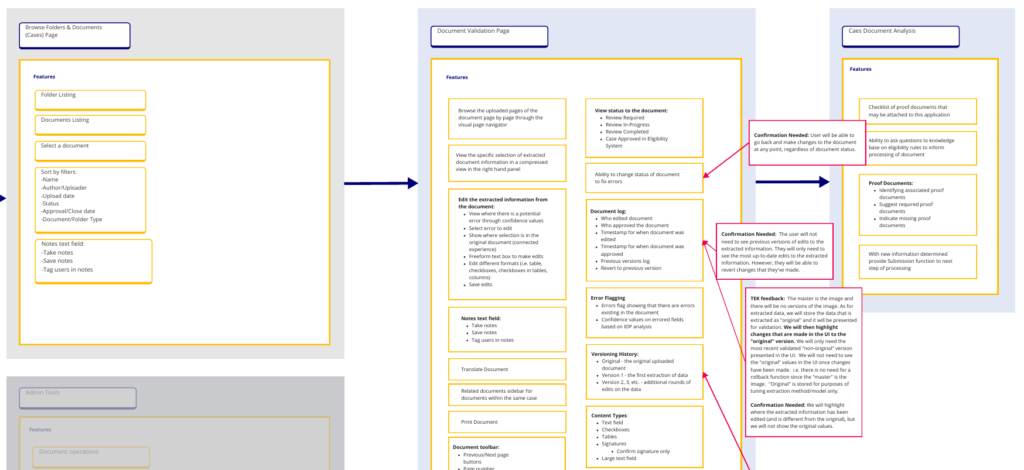
Using this information, I was then able to build out an expanded IA that not only showed the structure of the application but also confirmed the available functions for each page, something the client needed visual representation for. Listing out the functionality in the IA helped them to better understand the UX process and visualize where we were heading.
Wireframes
We had a week to finish the wireframes so that design would have enough time before the deadline to design and rig the prototype. Wires were created in two batches that ran in parallel — Batch 1 updates would be made while Batch 2 was being built out, Batch 1 would be approved for design while Batch 2 was updated from client feedback, etc.